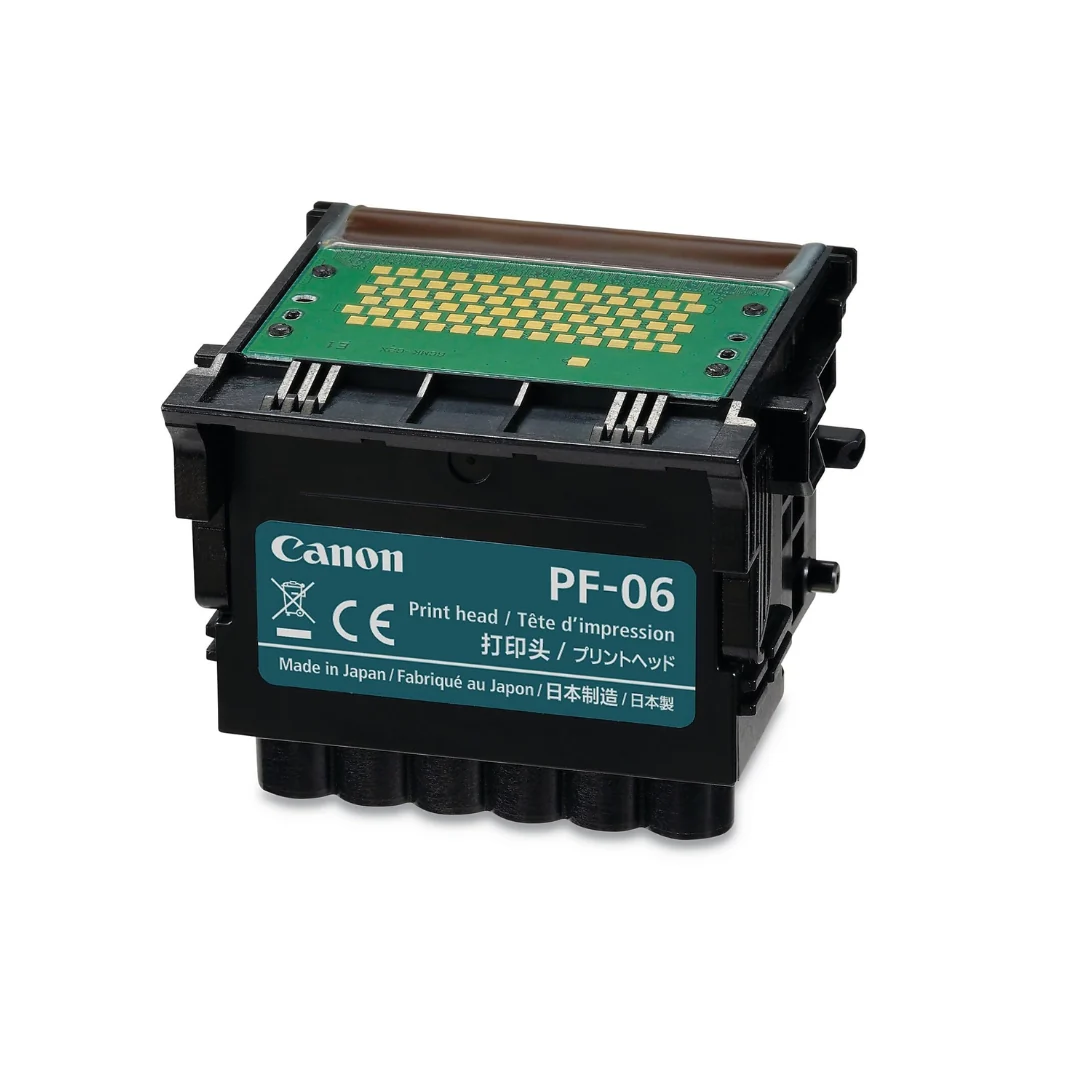

Canon PF-06 Printhead for Canon imagePROGRAF TM-300 and TM-305
- Brand: Canon Genuine OEM
- Part Number / MPN: 2352C001 / 2352C001AA / 2352C001AB
Compatible Models
Canon imagePROGRAF TA-20
Canon imagePROGRAF TA-30
Canon imagePROGRAF TM-200
Canon imagePROGRAF TM-300
Canon imagePROGRAF TM-305
Canon imagePROGRAF TX-2000
Canon imagePROGRAF TX-3000
Canon imagePROGRAF TX-4000
What’s Included in the Box?
- 1 x Genuine Canon PF-06 Printhead Unit (factory sealed in defensive foil)
- Built-in orange protective nozzle covers
- User instruction booklet and safety documentation
Pro Installation Tips & Storage Advice
- Do Not Touch: Never touch the metal contacts, ink supply ports, or nozzle face with bare hands to avoid static or contamination.
- Normal Ink Residue: You may find trace amounts of transparent protection liquid under the orange cap—this is completely normal transport protection used by the factory.
- Error Clearing: If your plotter displays an "unrecognized" prompt upon dropping in the new hardware, execute a manual clear/decode function on your printer screen and cycle the power
$147.72
Original: $422.06
-65%Canon PF-06 Printhead for Canon imagePROGRAF TM-300 and TM-305—
$422.06
$147.72Product Information
Product Information
Shipping & Returns
Shipping & Returns
Description
- Brand: Canon Genuine OEM
- Part Number / MPN: 2352C001 / 2352C001AA / 2352C001AB
Compatible Models
Canon imagePROGRAF TA-20
Canon imagePROGRAF TA-30
Canon imagePROGRAF TM-200
Canon imagePROGRAF TM-300
Canon imagePROGRAF TM-305
Canon imagePROGRAF TX-2000
Canon imagePROGRAF TX-3000
Canon imagePROGRAF TX-4000
What’s Included in the Box?
- 1 x Genuine Canon PF-06 Printhead Unit (factory sealed in defensive foil)
- Built-in orange protective nozzle covers
- User instruction booklet and safety documentation
Pro Installation Tips & Storage Advice
- Do Not Touch: Never touch the metal contacts, ink supply ports, or nozzle face with bare hands to avoid static or contamination.
- Normal Ink Residue: You may find trace amounts of transparent protection liquid under the orange cap—this is completely normal transport protection used by the factory.
- Error Clearing: If your plotter displays an "unrecognized" prompt upon dropping in the new hardware, execute a manual clear/decode function on your printer screen and cycle the power